
Do you want to search in all categories or in this category ?

As an Administrator, you can create user accounts for your team. Each user will have their own dedicated account, but the credit pack is shared across the entire team.
________________________________________________________________
Go to the “Administration” tab in your personal space:
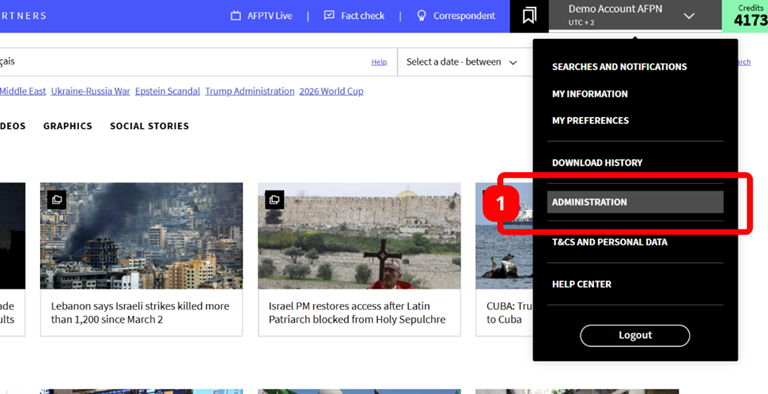
Please note that the “Administration” section is only available for Administrators. Simple users do not have access to this section in their personal account.
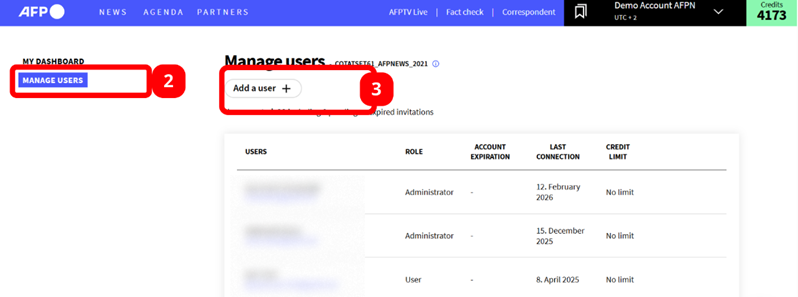
In the “Manage users” section, click the “Add a user” button:
Fill in the information fields and click “Save” to send an activation link by email to this new user:
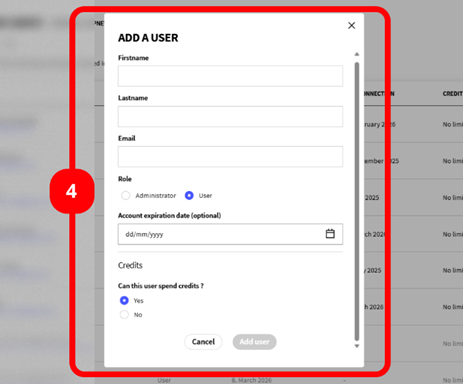
An Administrator role grants access to the Administration tab, allowing you to manage users and view the dashboard. [more info here]
It is also possible to set an expiration date for an account or to restrict credit usage for each user. [more info here]
You're done !
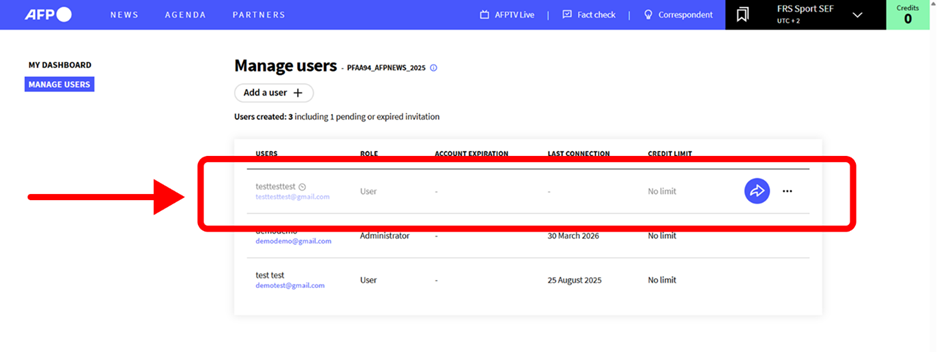
The line will stay shaded as long as the users hasn’t activate his account. Use the blue arrow to re-send the activation link by e-mail.
👂Share your thoughts on your AFP News experience to help us improve it. Your opinion matters.

